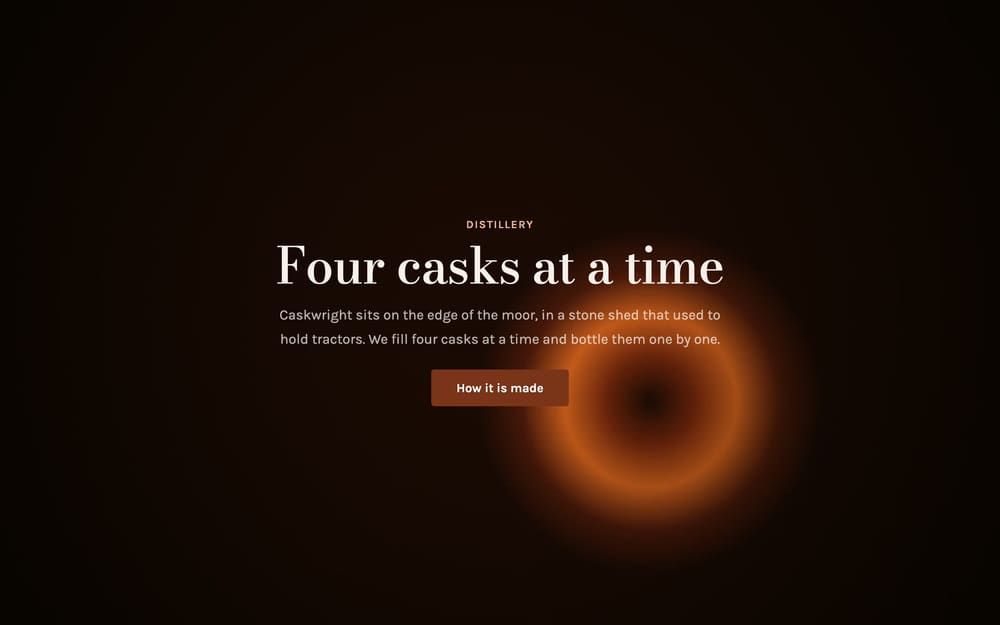
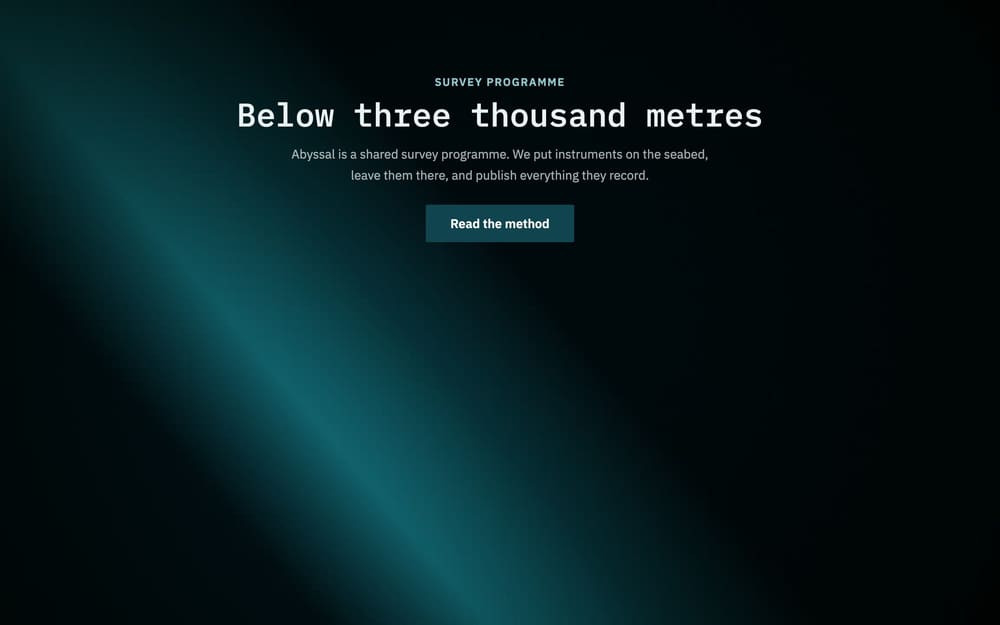
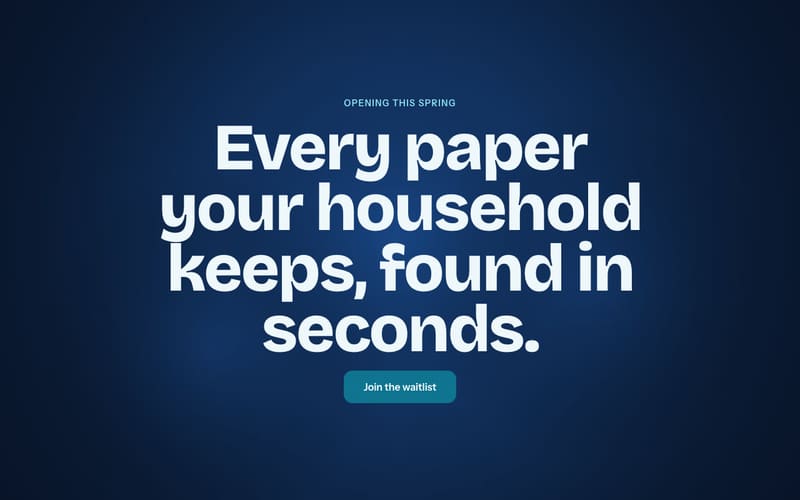
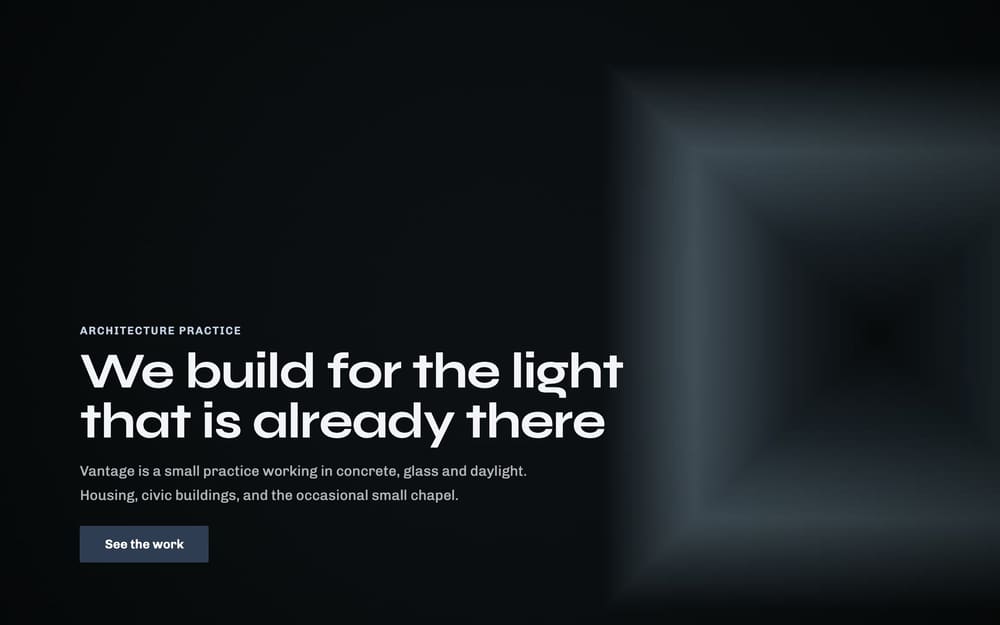
Three finished sites, served as the exact bundles they export to.See the examples

First site freethen 5 for $20

Describe your business.Get a cinematic scroll site.

Street names, hours, materials and prices make a better site than adjectives do. Everything it writes is yours to change, and the export is plain HTML.

Photographs optional
Try one:

Rather start from a finished design? Browse 23 templates

This is what comes out.Scroll, and the screen plays it.

A finished site from the catalogue, played by the same engine your own site is built on. Nothing here is a video: the background is drawn frame by frame as the page scrolls, and the export behaves the same way on your own host.

That was AuraBeauty, one of 23 templates, drawn live in your browser as you scrolled. Open it
Exports deploy to

  • Netlify
  • Vercel
  • GitHub Pages
  • Cloudflare Pages
  • Any static host

The whole path, from a paragraphto a site anyone can visit

Describe

Write what the business is. The first draft comes back written.

  • Say the street, the hours, the materials and the prices
  • Attach a photograph or two of the work or the room
  • Get five to nine sections, a palette and a typeface pairing
/describea paragraph in, a site out

A two-chair barbershop on Mill Road in Cambridge, open since 2011. Walk-ins before noon, appointments after. Fades, beard trims and hot towel shaves. We do not do colour.

six sections written from it

  • Mill Road, Cambridge

    Two chairs on Mill Road since 2011.

  • Before noon

    Walk in before twelve. No booking needed.

  • What we don't do

    We do not do colour.

Pick

Start from a finished site. Keep the pacing, change the words.

  • Browse 23 templates across 13 categories
  • Preview any of them before you open it
  • Open one in the editor with a click
/templates23 sites
The Kept template, at its opening heading

Kept

Launch

The Ledger template, at its opening heading

Ledger

SaaS

The Kiln template, at its opening heading

Kiln

Food & Drink

The Northlight template, at its opening heading

Northlight

Portfolio

Generate

Frames drawn in your browser, or taken from footage you already shot.

  • Choose gradient, geometric, particles or wave, and a palette
  • Upload a video and its frames are extracted on your device
  • Add a portrait set, so a phone gets a background shaped for it
/createdrawn in your browser
gradientgeometricparticleswave

Edit

Every section in place, and every change one undo away.

  • Change headings, body copy, buttons and colours
  • Reorder sections, and set how long each one holds
  • Preview at desktop, tablet and phone widths
editor · OrbitCRMundo · redo
  1. Close deals at the speed of light.
  2. Your CRM is a filing cabinet
  3. Your pipeline, finally alive
  4. Spacer
  5. A number you can defend
  6. Nothing lives in one rep's head
  7. Scales past the point most tools break
  8. Spacer

Introducing OrbitCRM

Close deals at the speed of light.

Score

A soundtrack that follows the reader down the page.

  • Attach one track to the whole site
  • Fade it in as the reader scrolls, and out when they stop
  • Ship it inside the export with everything else
audio/track.mp3follows the scroll
top of the pagefades in as the reader scrollsend

Export

One ZIP holding everything a host needs, and nothing it does not.

  • Ships a 404 page, favicon, social card and robots.txt
  • Includes config for Netlify, Vercel and GitHub Pages
  • Needs no build step and no install
your-site.zip13 entries
  • ├── index.htmlyour page
  • ├── 404.htmlnot-found page
  • ├── favicon.svgtab icon
  • ├── apple-touch-icon.pnghome-screen icon
  • ├── og-image.jpgsocial card
  • ├── robots.txtcrawlers
  • ├── README.mdhow to deploy it
  • ├── netlify.tomlNetlify
  • ├── vercel.jsonVercel
  • ├── .nojekyllGitHub Pages
  • ├── frames/the background
  • ├── frames-mobile/portrait set, if made
  • └── audio/your track, if added

Deploy

Drag the folder onto a host, and it is live.

  • Upload to Netlify, Vercel or Cloudflare Pages
  • Push to GitHub Pages and it serves as it is
  • Host it anywhere that serves static files
examples/vantage/index.htmlserved as exported
The Vantage example, as deployed

Four ways to build a scroll site

Describe the business and have the first draft written, edit a finished template, scroll through footage you already shot, or build it from your terminal. All four produce the same bundle.

describe

Write a paragraph, get a site

For anybody who would rather describe the business than design it

Describe your business
templates

Edit a finished site in the browser

For launching fast from one of 23 designed sites

Browse templates
your-footage

Scroll through video you already shot

For brands with film that deserves more than autoplay

Upload a video

> /plugin marketplace add singhharsh1708/scrollcraft

> /plugin install scrollcraft@scrollcraft

> build me a scroll site from hero.mp4

claude-code

Build it from your terminal

For developers who want the site in version control

Read the plugin docs

Open source,and yours to keep

Finished templates
23
Categories covered
13
From a paragraph to a site you can edit
~20s

Can you download your site and host it anywhere?

ToolDownload and host anywhereWhat it takes
ScrollCraftYes, as a plain HTML ZIPFree to edit and export; $4 a written site after the first
WebflowHTML and CSS; CMS content stays behindCore Workspace plan, $19/mo billed yearly
CarrdYesPro Plus plan, $49/yr
SquarespaceContent only, as XML for WordPressNot offered for the design
FramerNoNot offered
WixNo, sites run on Wix's serversNot offered

Checked on 19 September 2026 against each company's own pages: Webflow, Carrd, Squarespace, Framer, Wix.

Questions peopleask first

What does it cost?
The editor, the templates and the export are free, with no account and no limit. The one thing that costs money is having a site written from your description, because a model writes it: the first is free, then five more are $20, bought once. Nothing renews.
Does it write the site for me?
If you want it to. Describe the business in a few sentences, attach a photograph or two, and it writes the copy, picks the palette and the typefaces and lays out the sections. Everything it writes opens in the editor, and every word is yours to change.
Do I need to know how to code?
No. Pick a template, change the copy and colours, and export. What you download is plain HTML, CSS and JavaScript that any host will serve.
How does the scroll animation work?
ScrollCraft draws a sequence of frames on a canvas, and the page shows the frame that matches how far the reader has scrolled. There is no WebGL and no animation library.
Does it take over my visitors' scrolling?
No. The page scrolls exactly the way the visitor's wheel, trackpad or finger normally scrolls it, and the background follows along. Nothing slows, smooths or snaps the scroll, and visitors who ask their system for less motion get a still page.
Can I use my own video?
Yes. On the create page you can upload an MP4, MOV or WebM. Its frames are extracted in your browser, and the file never leaves your device.
Where can I host the exported site?
Anywhere that serves static files: Netlify, Vercel, Cloudflare Pages, GitHub Pages or your own server. Unzip it and upload the folder.
How are the frames generated?
They are drawn in your browser from the style and palette the template carries. Nothing is sent to a server to make them.

Or build it from your editor

ScrollCraft as a Claude Code plugin

Scaffold a spec, render a background and build the site from the command line. The only thing it needs installed is ffmpeg.

What the plugin does

Need more thana template?

The library covers the common shapes. If you want a site built around your own footage, sections or brand, send the details and we will take a look.

Start your firstscroll site

Describe the business, or pick a template, then change the words and download a ZIP. The first written site is free and the editor never costs anything.